
How to make a looping video with the SmartVideo plugin for WordPress
A brief "how-to" for users of the SmartVideo plugin for WordPress
If you have the SmartVideo plugin for WordPress installed and want the player to restart playback as soon as the video ends, then you're in the right place.
If you have installed SmartVideo using another method and want the player to restart playback as soon as the video ends, take a look at our SmartVideo tag options article.
How to make a looping video
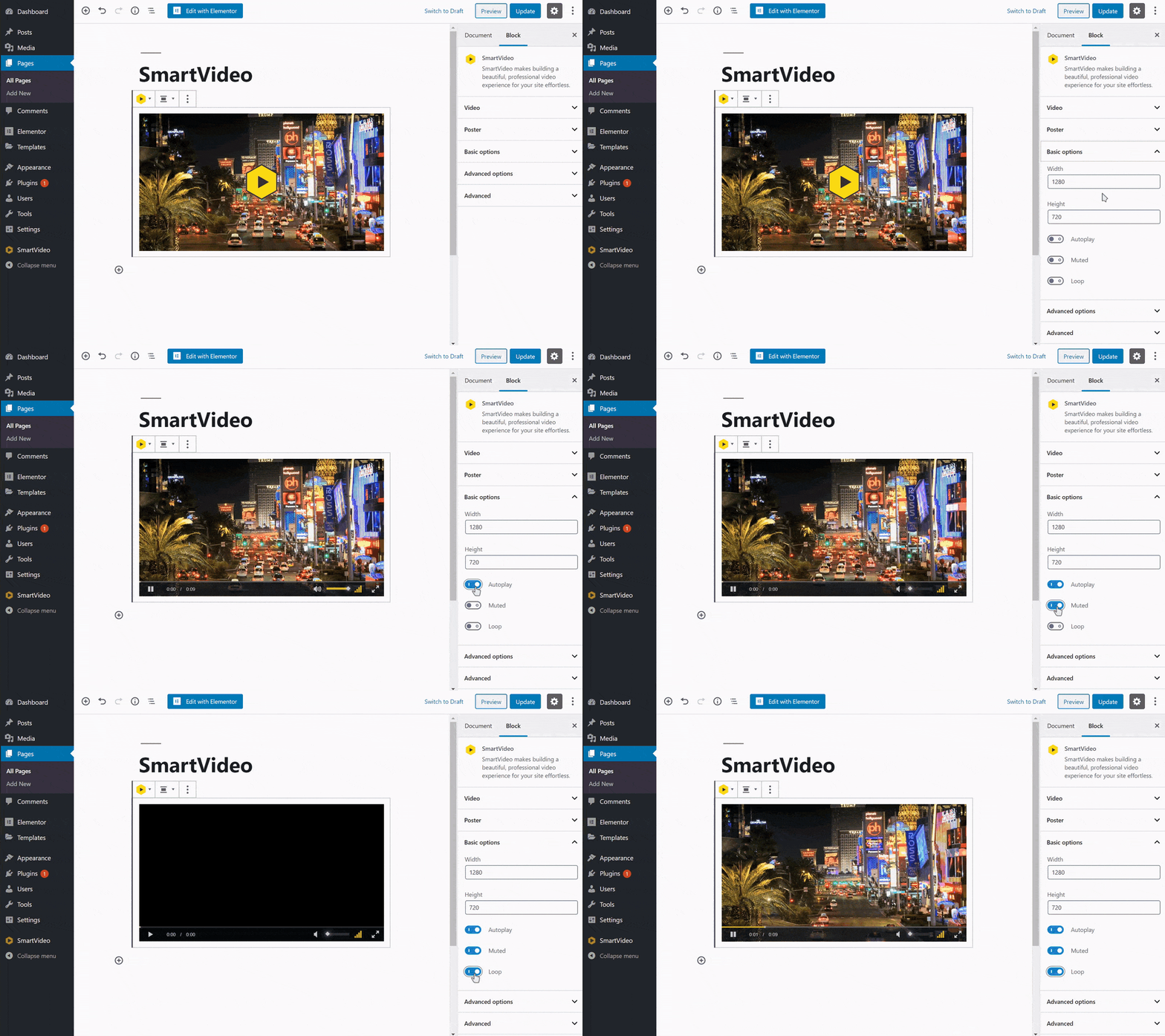
After adding a video to a page, click on Basic options in the block settings. You will now see a toggles for Autoplay, Muted, and Loop. Toggle the switch next to Loop. The player will now restart playback as soon as the video ends. Please note, adding "Plays inline" is essential for proper playback is IOS/Safari when using autoplay.
Keywords: video continuous play