
How to change the player color using our WordPress plugin
Simple instructions for changing the player accent color using our WordPress plugin
As you can probably tell from our site: we love yellow 💛
But, we know you have certain colors that you love too. That's why, with SmartVideo, you can change the accent color of the player!

To change the accent color of the player, simply visit the SmartVideo plugin Settings menu and click Select Color. From here you can choose a color using the color picker, or type a hex code in the text box. Then click Save Settings.
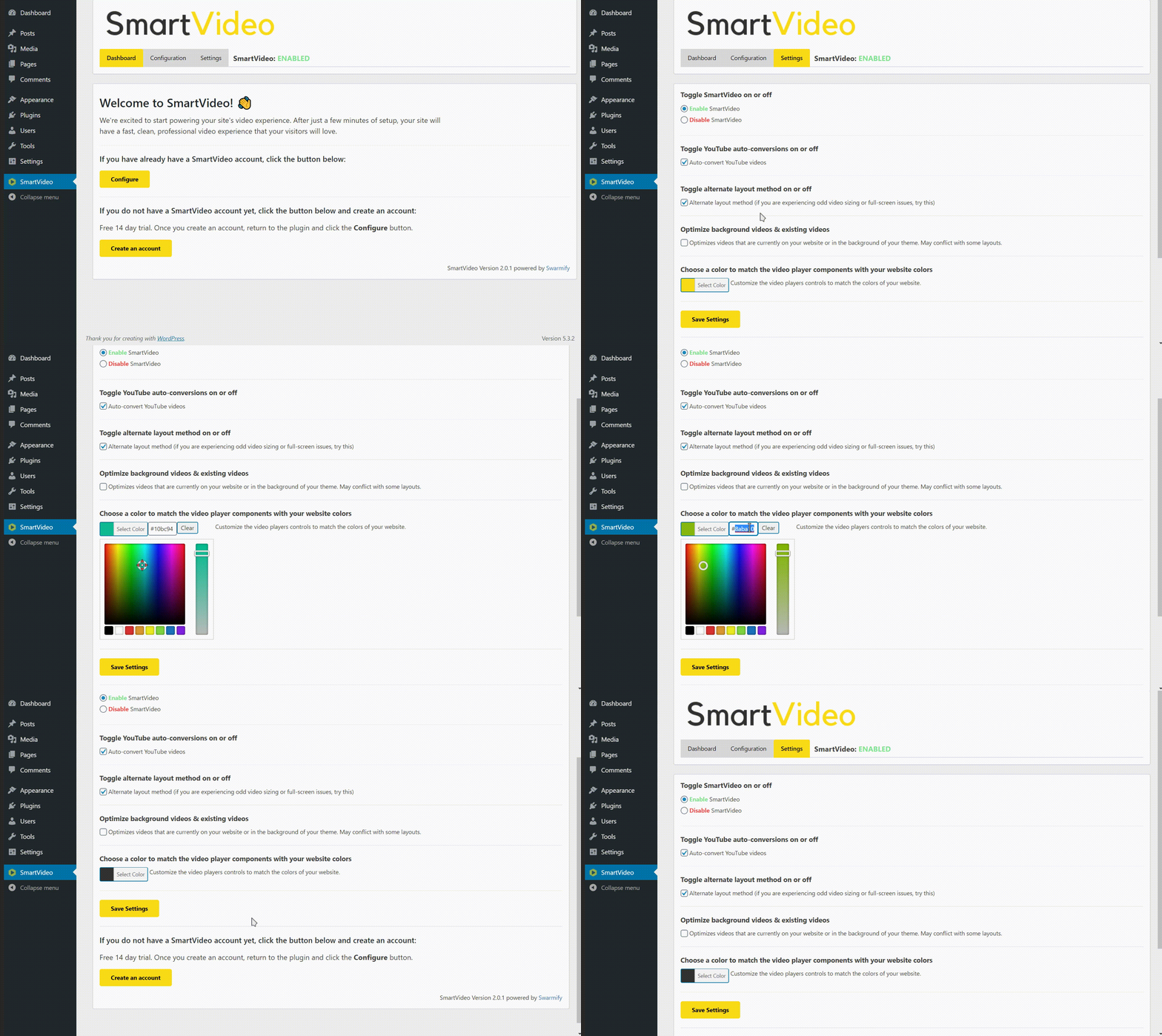
The SmartVideo will now have a new accent color across your site! 🎨
Pro Tip: The play button border auto adjusts so it is white for "dark" colors and black for "light" colors.