
How to Accelerate Background Videos with SmartVideo
Slow background videos can hurt your page's load speed. SmartVideo can accelerate them automatically. Here’s how to set it up.
For WordPress Users:
To auto-convert your videos, go to the SmartVideo plugin Settings and toggle on Optimize background videos & existing videos.
Note: This may conflict with some themes, so it's a good idea to test it.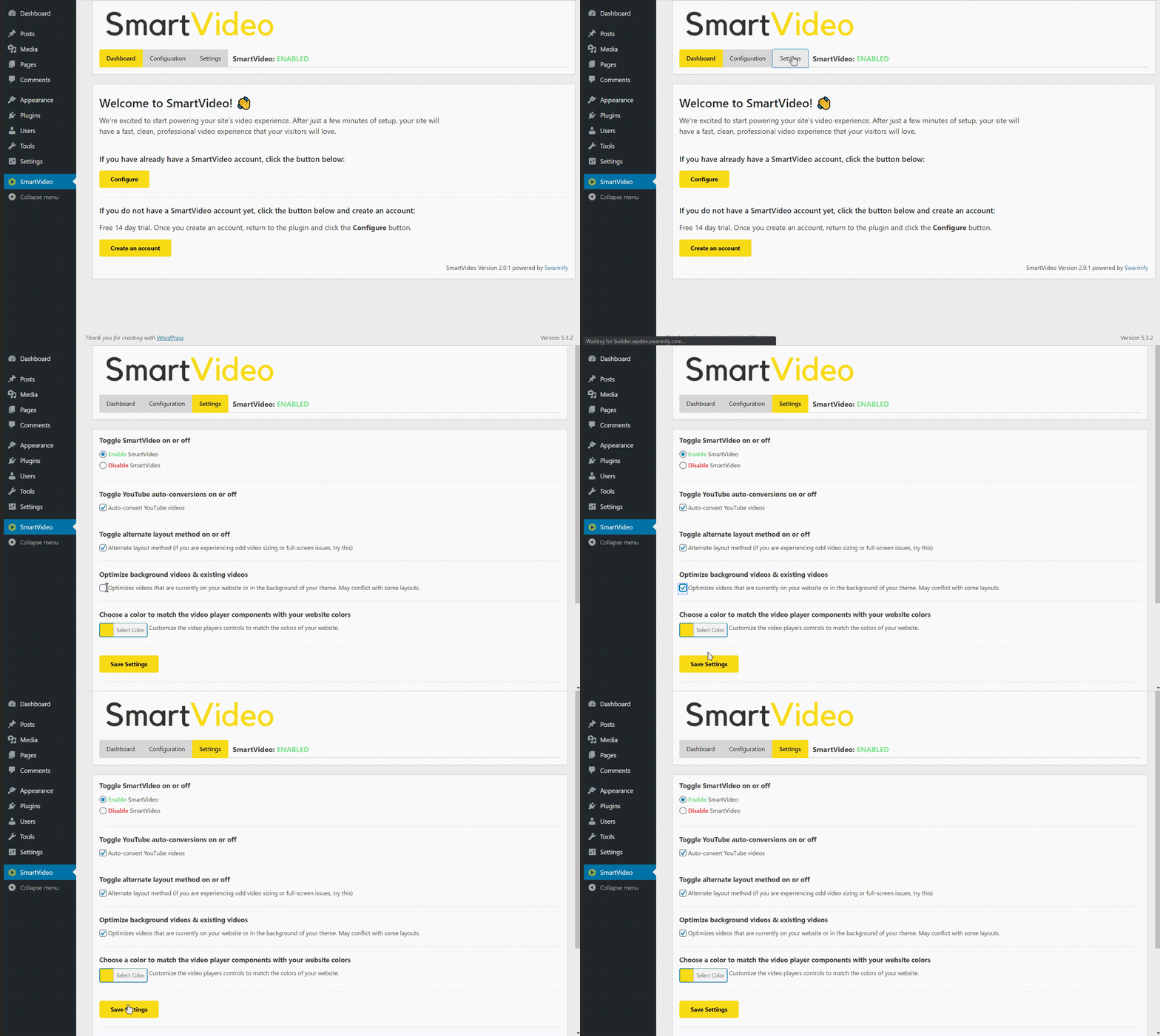
For Non-WordPress Users (Manual Install):
To auto-convert all your background videos that are embedded with <video> tags, use the configuration tool in the Swarmify Dashboard to reconfigure the Swarmify snippet to include Background Video Conversions.
If you want to edit the snippet manually, add the line videotag: true right after youtube: true, as shown below.
<script data-cfasync="false">
    var swarmoptions = {
        swarmcdnkey: "XXXXXXXX-XXXX-XXXX-XXXX-XXXXXXXXXXXX",
        autoreplace: {
            youtube: true,
            videotag: true // <-- Add this line
        }
    };
</script>
<script data-cfasync="false" src="//assets.swarmcdn.com/cross/swarmdetect.js"></script>
If you decide that you want all of your video accelerated, but not your background video, simply change videotag: true to videotag: false.
Still have questions? We're here to help! Just click the support button on this page, and our team will assist you. 💬