
pCloud file sourcing
How to store your videos on pCloud and deliver them via SmartVideo
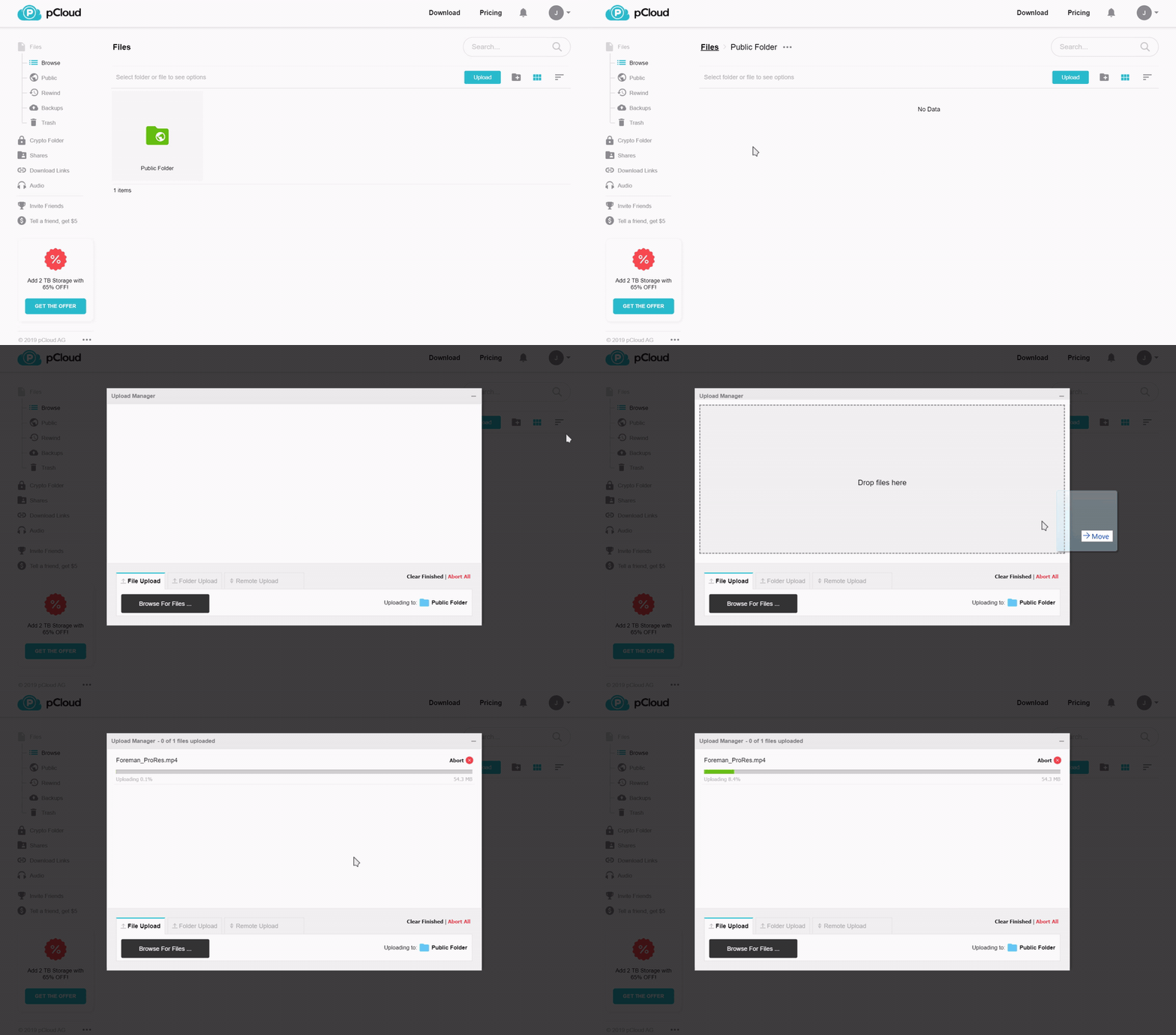
- Upload your video to the public folder in pCloud.
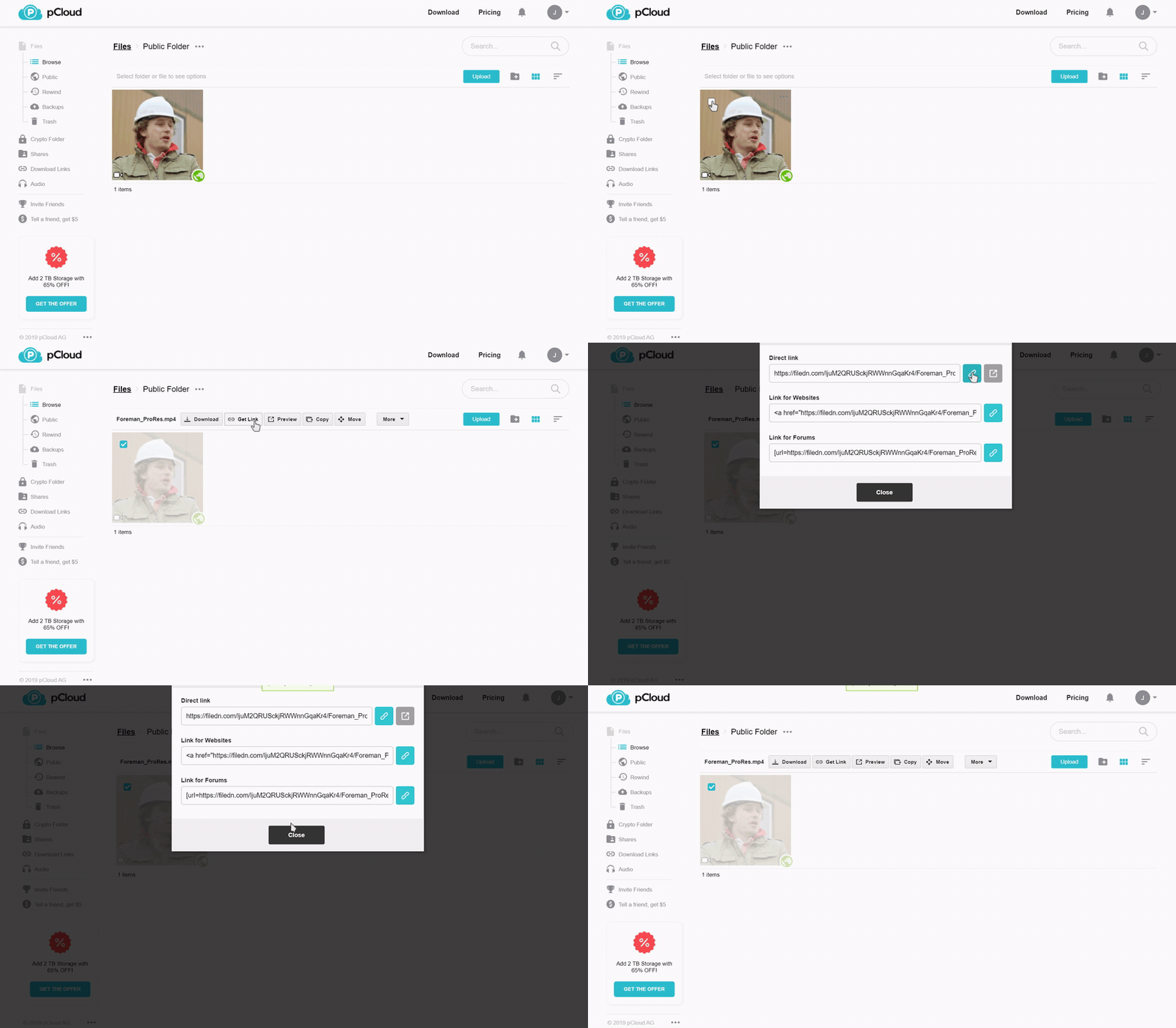
- Once the video is finished uploading, select the video, click Get Link, and copy the Direct link URL.
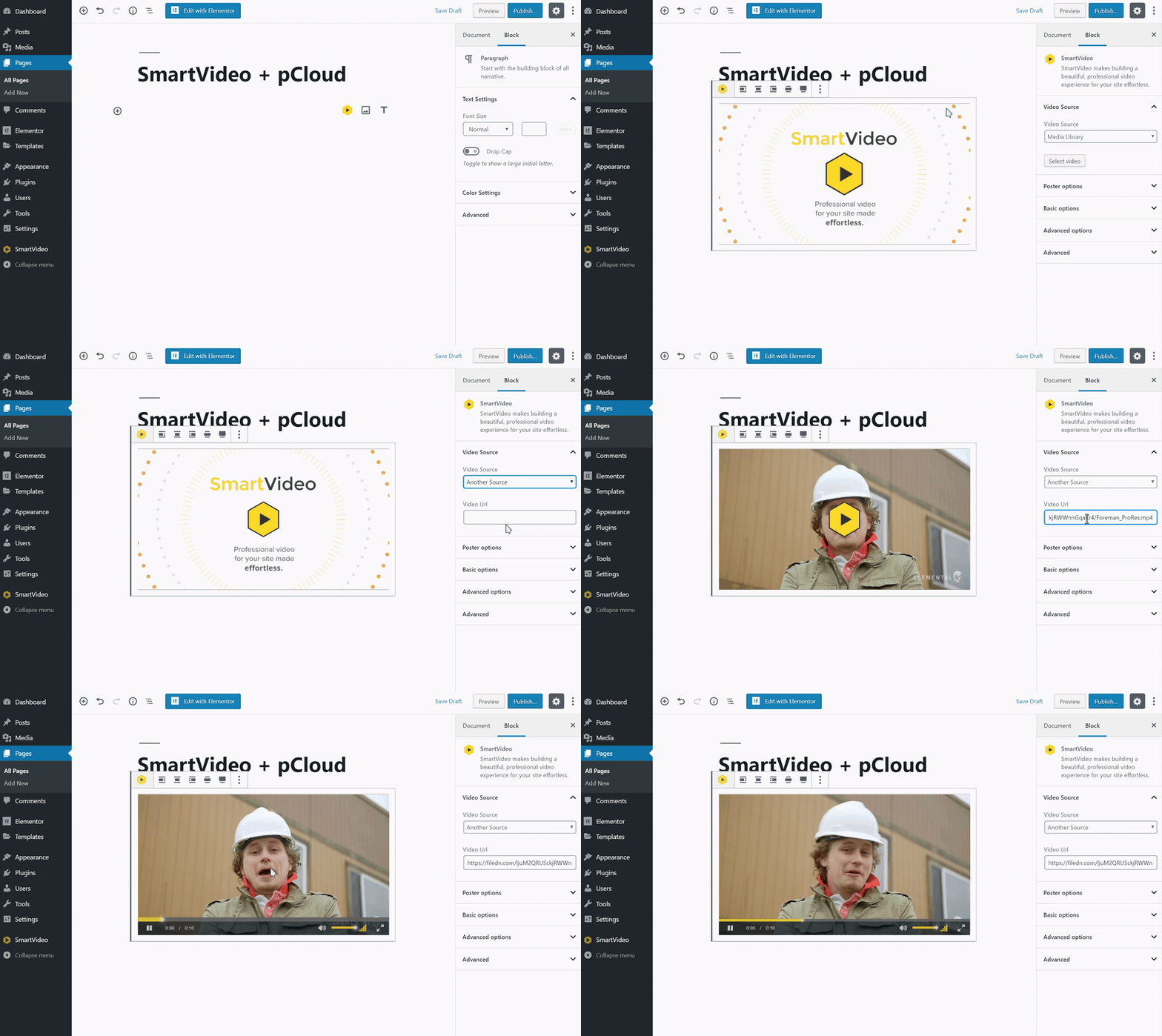
3a. If you are using our WordPress plugin, simply paste the copied URL in the Video source field (the gif below shows how this is done using our plugin with the new WordPress editor).
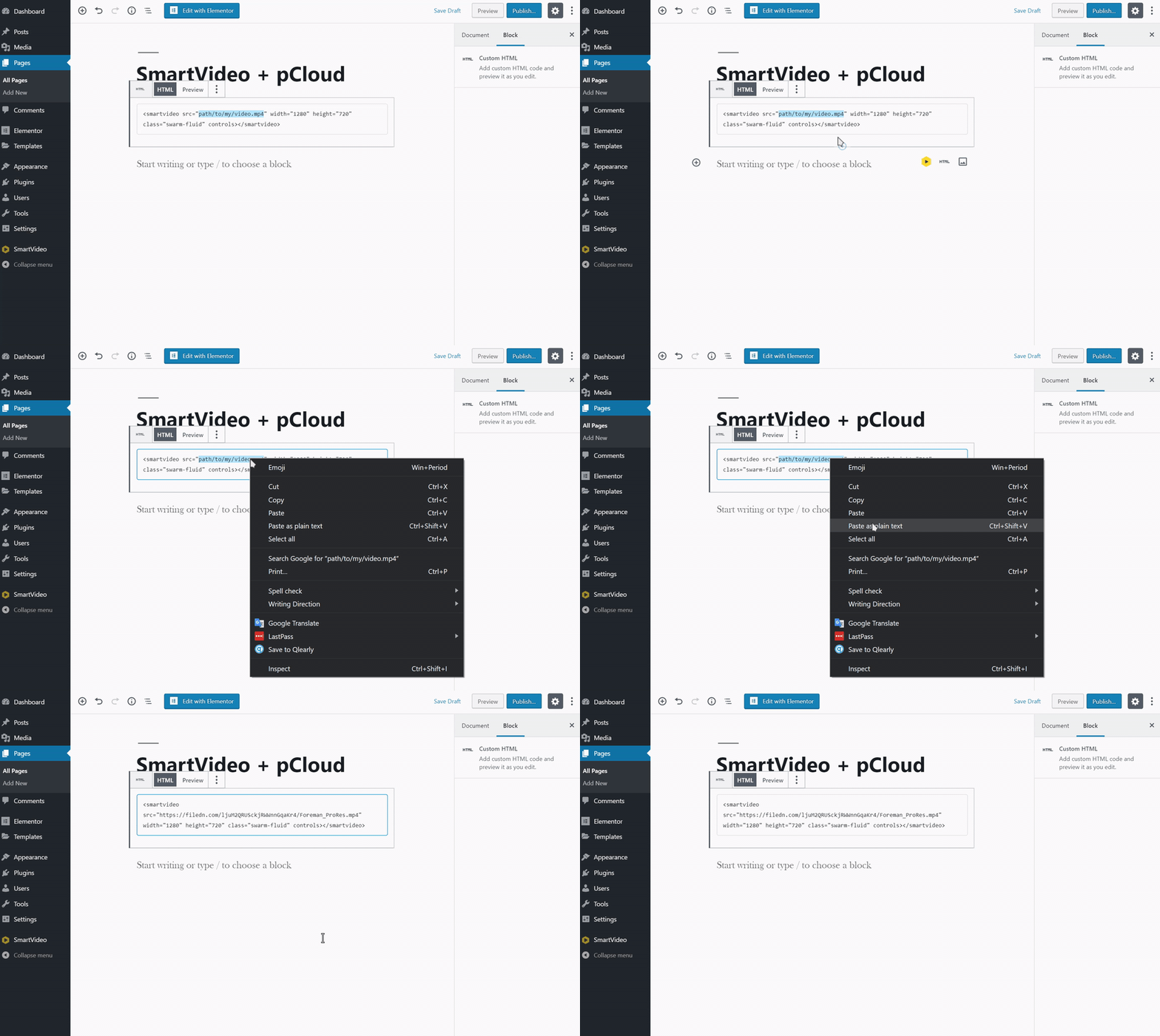
3b. If you are not taking advantage of our WordPress plugin, or are on another CMS platform entirely, simply use the URL you copied in step 2 as the source in a SmartVideo tag.
And that's it! 🎉
A few moments after previewing or publishing the page, SmartVideo will download, encode, and store your video on our global delivery network. We recommend keeping the file stored in pCloud in case the video is removed from your website by mistake.