
Google Drive file sourcing
//
Update:
Google has begun blocking downloads. We are working hard to adapt our import method to bypass this aggressive infringement on your rights as a Google Drive user, but we cannot promise there will be a solution.
In the meantime, see our supported file sources for alternatives.
//
How to store your videos on Google Drive and deliver them via SmartVideo
Directions:
-
Upload your video to Google Drive.
-
Right-click the video you wish to embed, then click Preview.
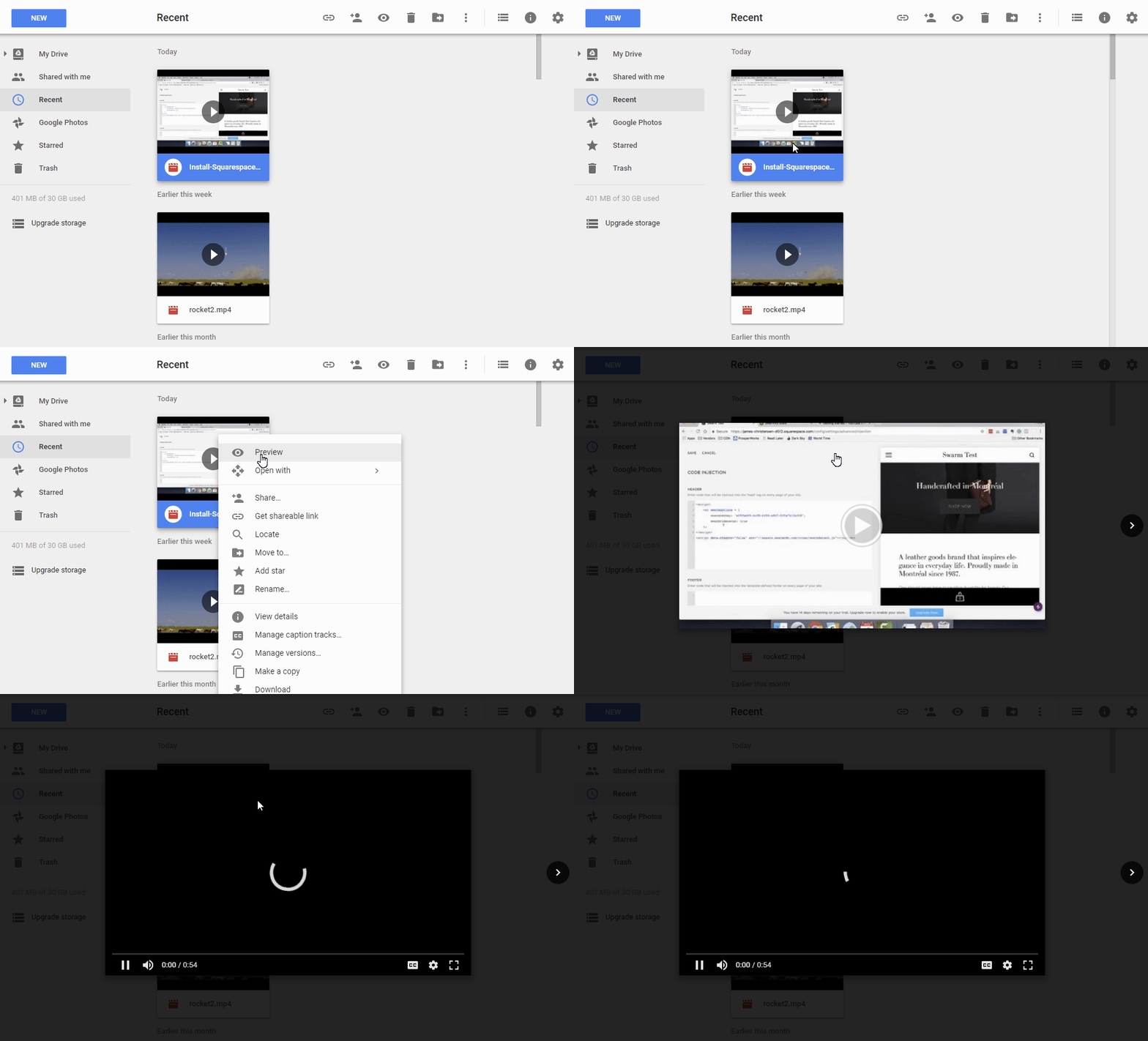
- From Preview, click the ellipsis, then click Open in new window.

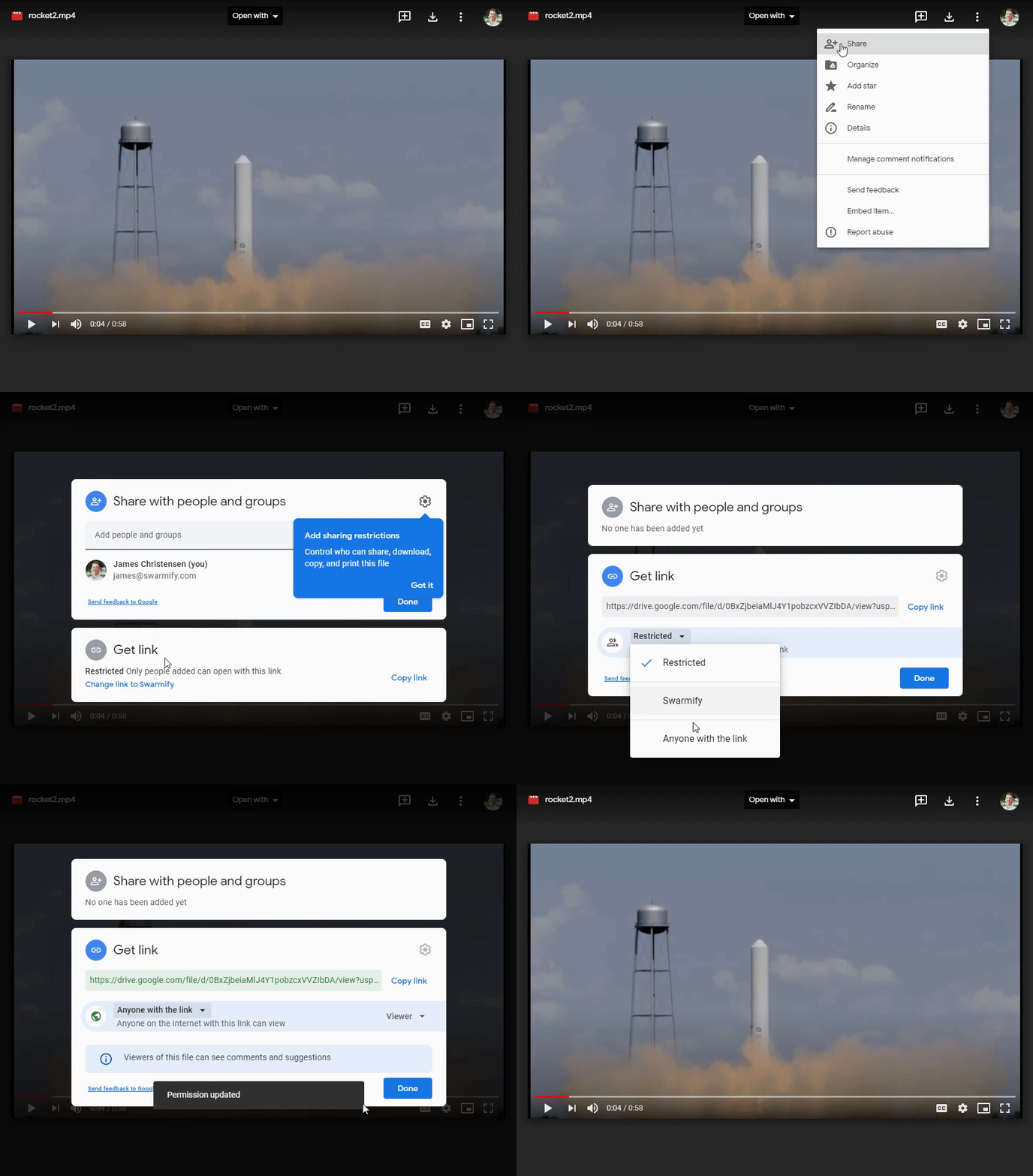
- From the new window, click the ellipsis, then click Share, click Get Link, click the dropdown arrow, select Anyone with the link, click Done.
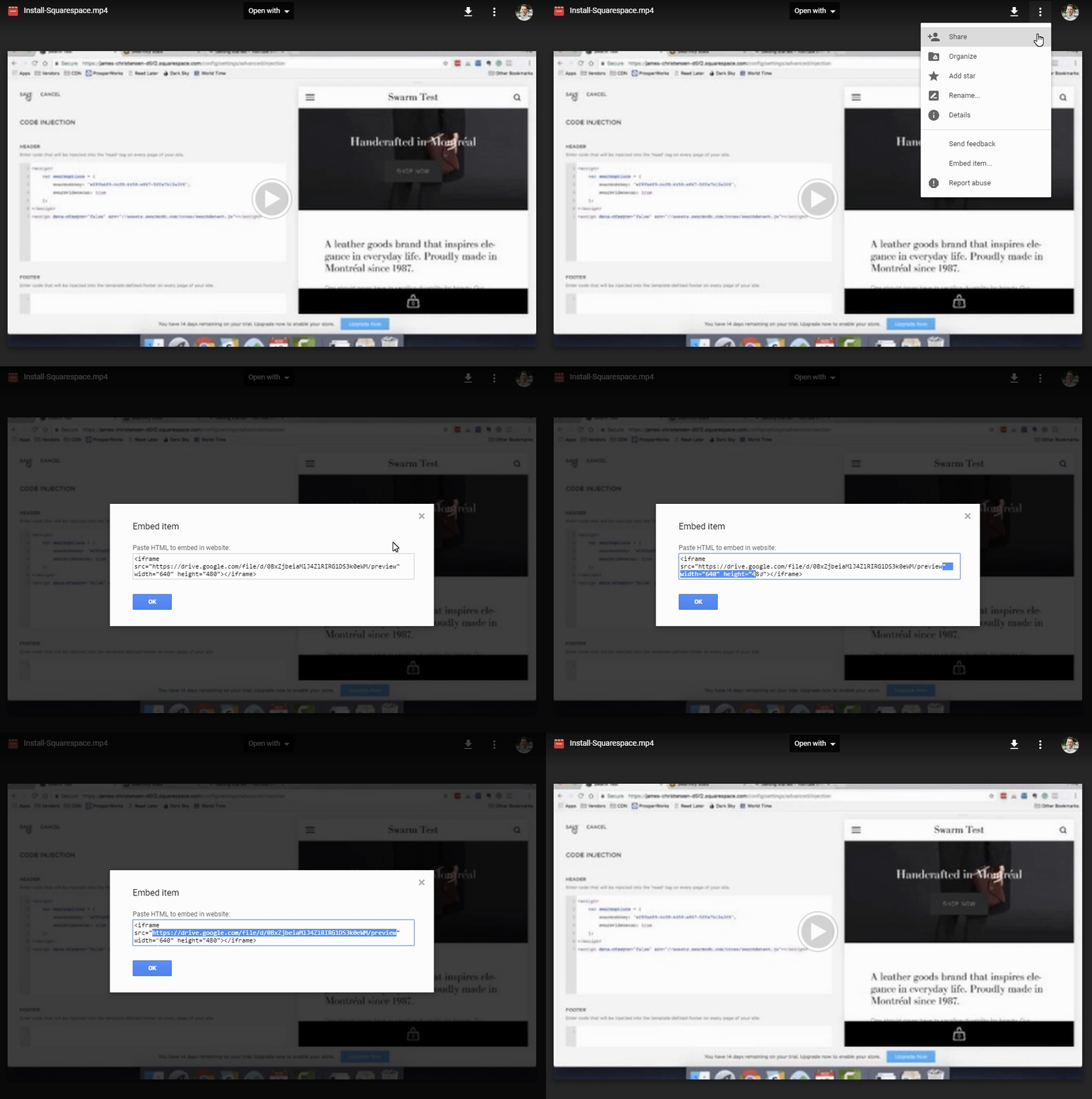
- Click the ellipsis, click Embed item… , copy the source URL, click OK.
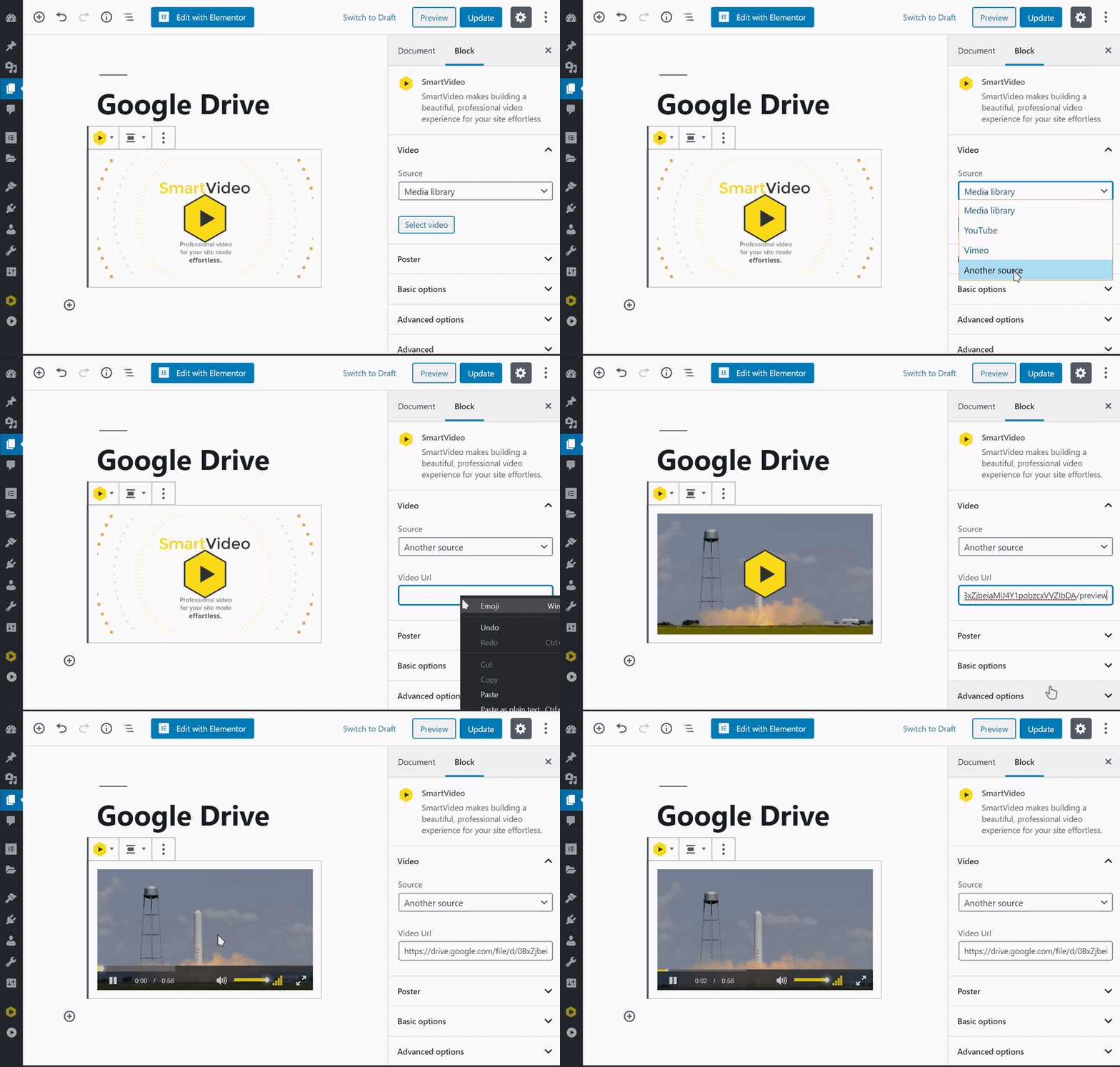
If you are using our WordPress plugin, simply paste the URL into the Video URL field of the widget like so:
Note: videos stored in Google Drive will not be able to be viewed in the SmartVideo player until the video file has been downloaded, encoded, and stored on our global delivery network. For most video files, this takes less than 30 minutes.
If you are not using our WordPress plugin, copy the SmartVideo tag below and paste it where you wish to embed the video.
<smartvideo src="path/to/my/video.mp4" width="1280" height="720" class="swarm-fluid" controls> </smartvideo>
Then, paste the Google Drive URL into the SmartVideo HTML tag, replacing the path/to/my/video.mp4 placeholder.

Your video is now ready to be embedded on your site and delivered by SmartVideo!