
Dropbox file sourcing
Here's how to store your videos on Dropbox and deliver them via SmartVideo.
//
Update: due to changes at Dropbox, videos from Dropbox with a URL ending in "?dl=1" that haven't been added to SmartVideo yet will no longer work in SmartVideo. Videos ending in "?dl=1" that have been added to SmartVideo will continue to work as expected.
On a positive note, support for the new Dropbox link structure has been added.
//
If you are using our WordPress plugin:
-
Upload your video to Dropbox.
-
Click the ellipsis and click Copy link.
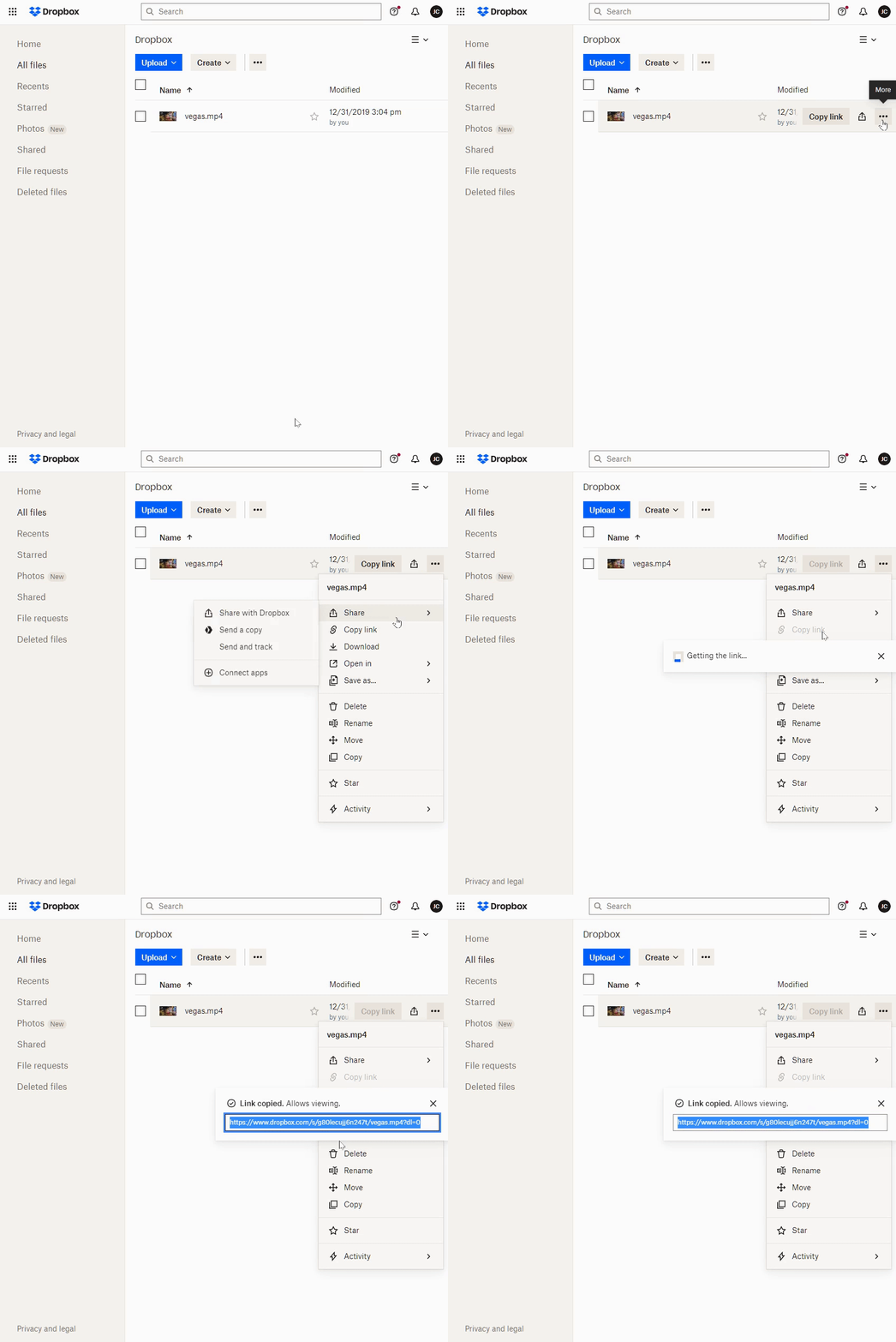
- Paste the copied URL into the Video Url field of the SmartVideo widget:
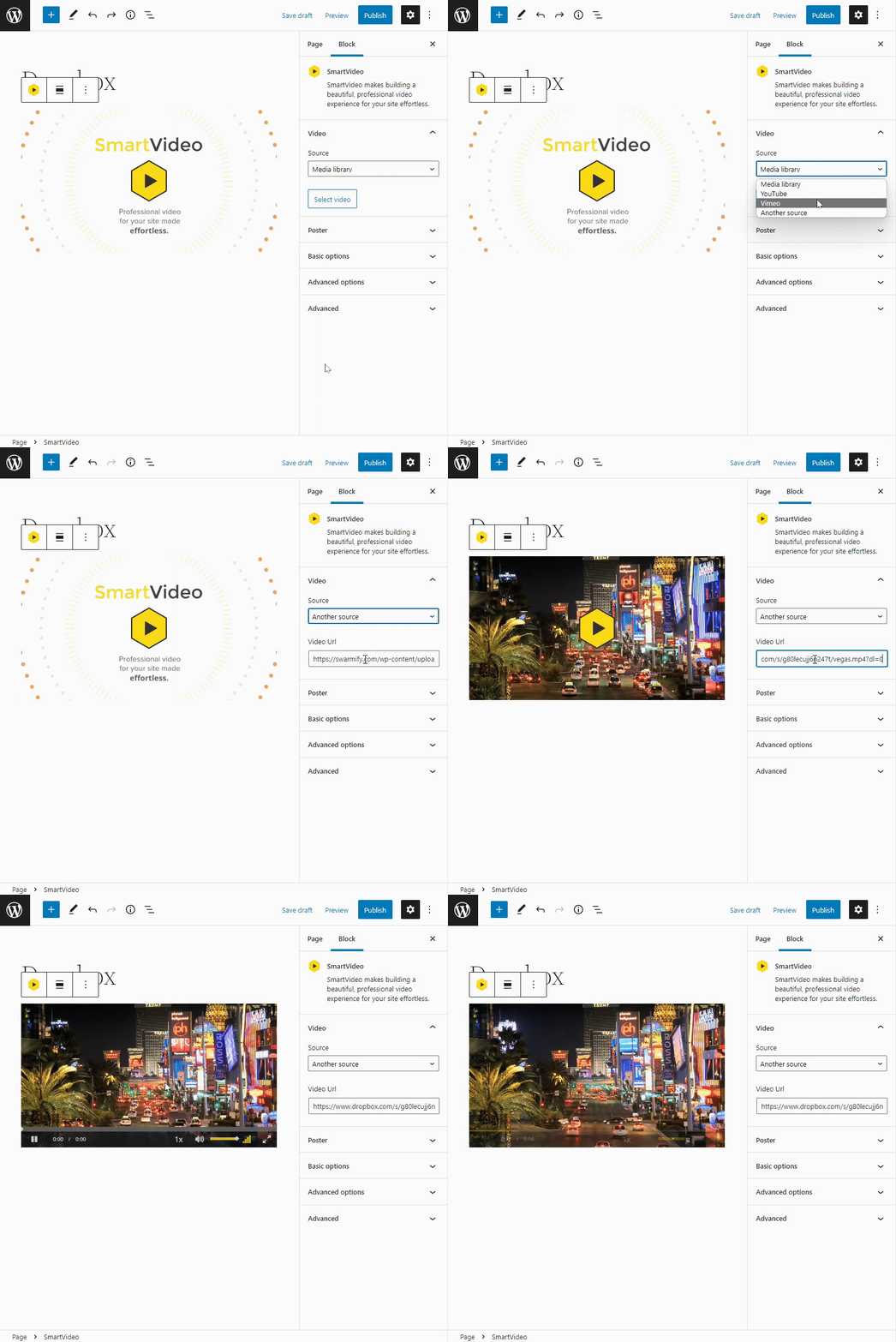
And that's it!
If you are not using our WordPress plugin
- Copy the SmartVideo tag below and paste it where you wish to embed the video.
<smartvideo src="path/to/my/video.mp4" width="1280" height="720" class="swarm-fluid" controls> </smartvideo>
- Back on Dropbox, click the ellipsis and click Copy link.
- Then, paste the Dropbox link into the SmartVideo HTML tag, replacing the path/to/my/video.mp4 placeholder.

Your video is now ready to be embedded on your site and delivered by SmartVideo!
Item of note: Unfortunately, Dropbox doesn't support using images hosted on Dropbox for manually setting a Thumbnail/Poster image.